Questions and Answers on how to get a Google Calendar account
1 - Q: Do I need an account to access Google Calendar?
- Yes, you need either a Gmail account or a Google Calendar accout.
2 - Q: Why do I need an account?
- Your account is password protected because we do not want to give the public general access to our cabin schedule.
- Your account is tied to an email address. If you forget your password, it can be emailed you.
3 - Q: I don't have a Gmail account, how do I get one?
- If you do *not* want a Gmail acocunt, goto item 5 below.
- If you want a Gmail account goto http://gmail.com
- Click on the "Sign up for Gmail" link in the lower right hand corner.
- When your account is set up follow instructions in step 4.
4 - Q: I already have a Gmail account, how do I get access to the calendar.
- Send an email to pete_bertrand@yahoo.com using your Gmail account and ask him to invite you to view the shared ski club calendar.
- He will enable your Gmail account to access the shared calendar. You will get an email when it is ready.
- Once emabled, you can log into Google Calendar using your Gmail email address and password.
- You are now ready schedule the cabin.
|
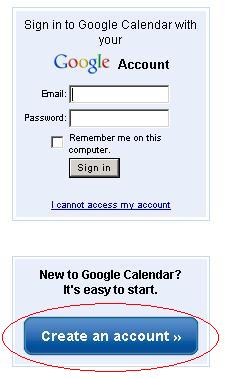
5- Q: I don't want an Gmail account, how do I get just a Google Calendar account?
|
 |